
01
Audit Overview
Your store's untapped revenue potential — and how to unlock it
Why We Created This Audit
We analyzed https://www.regalshoes.in the same way we've audited 350+ e-commerce stores — looking for the specific gaps between your current experience and what top-performing Fashion & Apparel stores deliver. Every finding in this report is a revenue opportunity backed by industry data and competitive benchmarks.
4 Critical
7 Important
1 Opportunities
What We Analyzed
- UX & Conversion Design12 findings
- Performance & Speedvs 4 competitors
- Technology & App StackPlatform + 8 apps
- Industry BenchmarksFashion & Apparel
Pages Analyzed
- Homepage3 findings
- Collection Pages3 findings
- Product Pages (PDP)3 findings
- Cart & Checkout3 findings
 This audit was prepared by Growisto — a CRO-led Website development team behind 167% conversion growth for Atomberg, 46% CR lift for TyresNmore, and 350+ e-commerce projects.
03
UX & Conversion Findings
Page-by-page analysis with visual comparisons against top Fashion & Apparel stores
Search opens empty, with no popular picks to help shoppers find shoes quicker
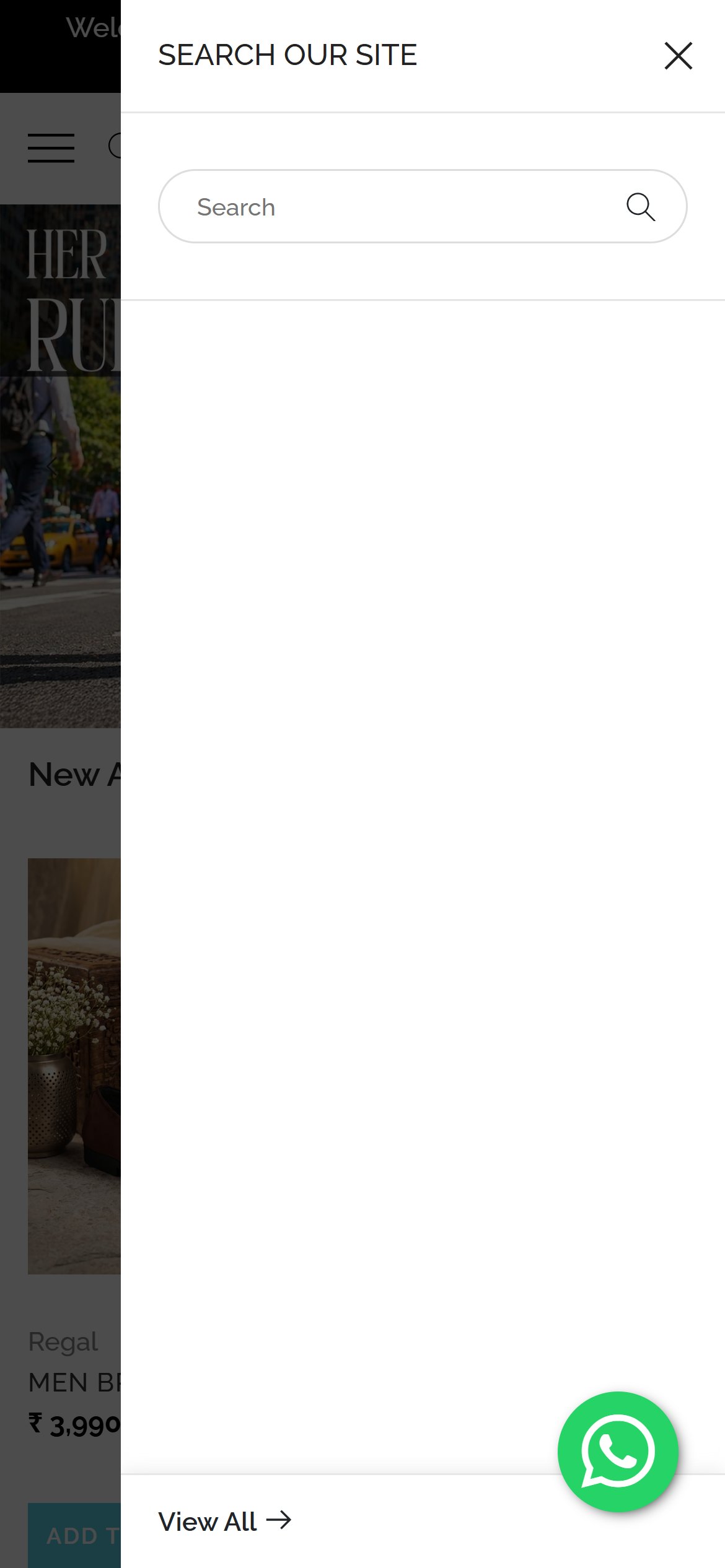
Regal Shoes — Mobile
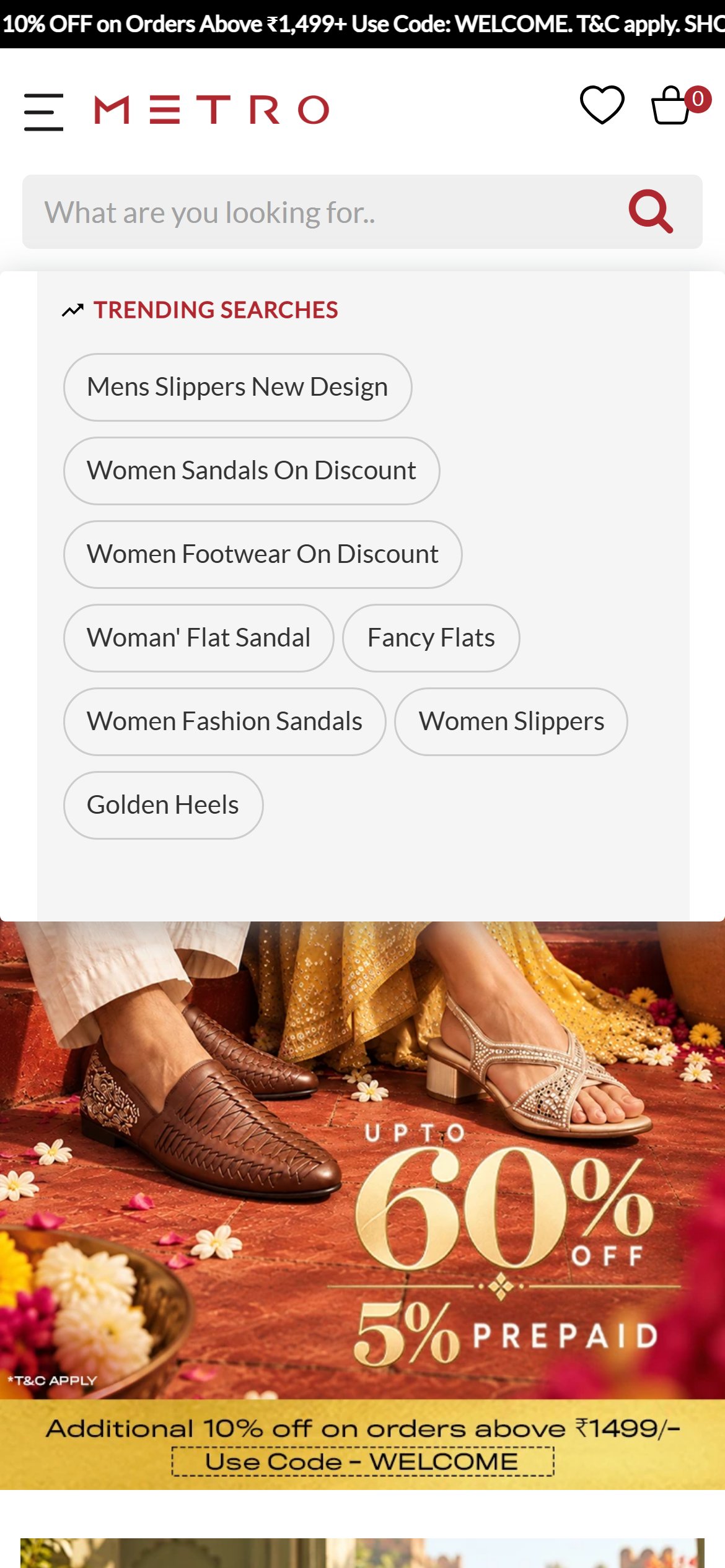
Metro Shoes — Mobile
Observations
- Tapping the search icon opens a blank panel with only a text box and a View All link.
- Shoppers who do not know the exact product name get no starting point such as popular searches or top categories.
- Once a word is typed, product suggestions do appear, so the gap is only the empty first state.
Recommendations
- Fill the empty search panel with popular searches and quick links to the main shoe categories (formal, loafers, sandals, ethnic).
- Show a few trending products with photo and price so a shopper can jump straight to a pair.
Free delivery, pay on delivery and easy returns are hidden at the very bottom of the homepage
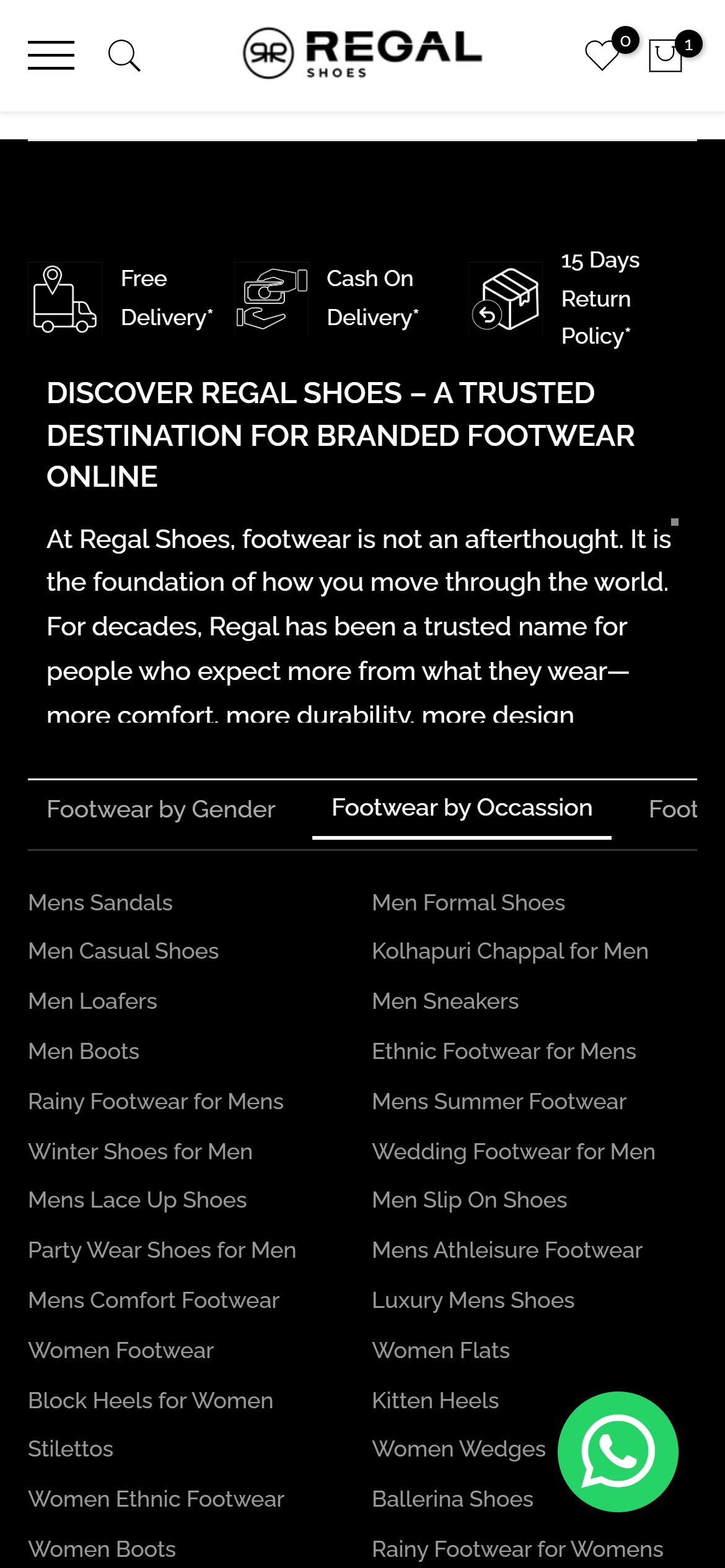
Regal Shoes — Mobile
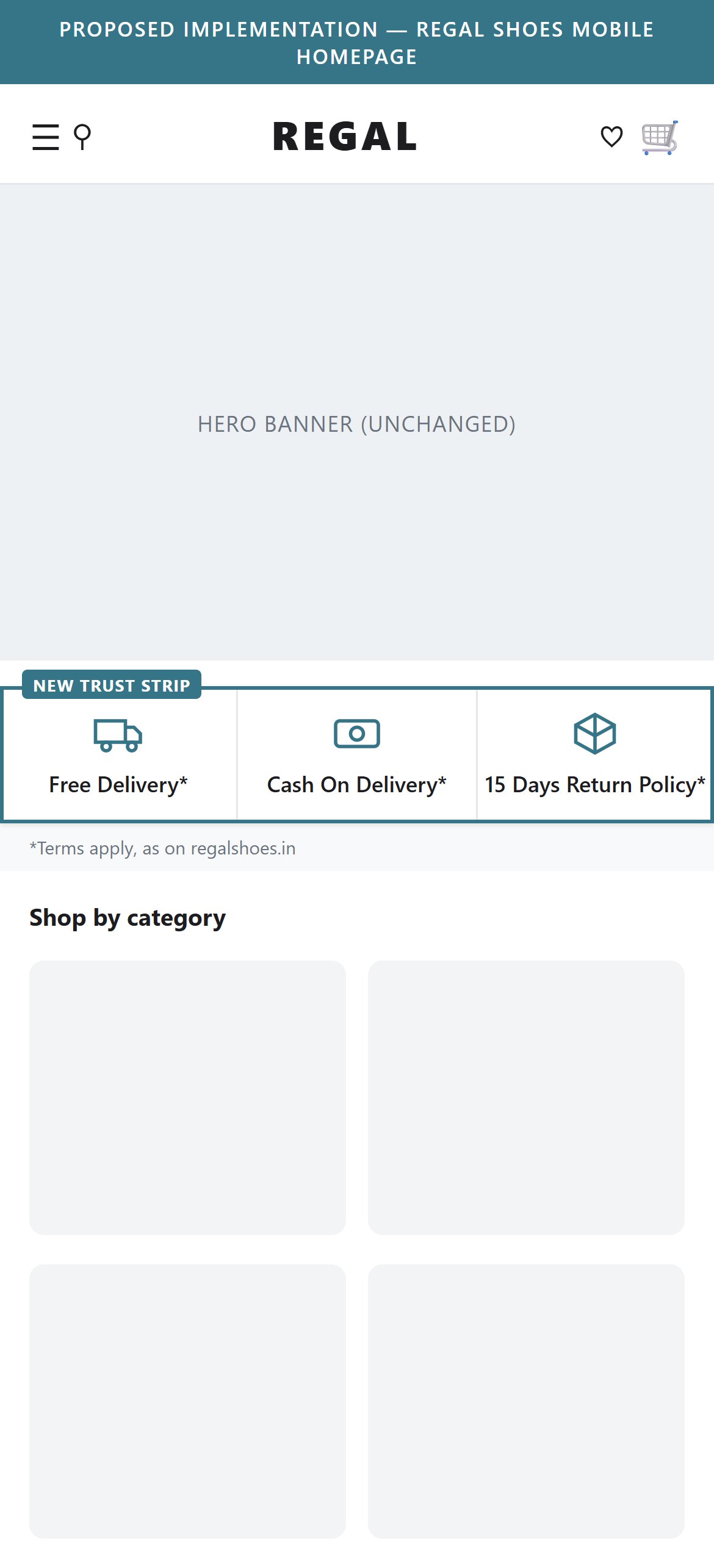
Proposed Implementation — Regal Shoes Mobile Homepage
Observations
- The delivery, cash on delivery and return-policy icons appear only in the dark footer area, after every product row and the Instagram feed.
- Nothing in the first screens of the homepage tells a first-time visitor that returns and cash on delivery are available.
- For a footwear purchase where fit is a worry, easy returns is a key confidence message.
Recommendations
- Add a compact trust strip right under the hero with free delivery, cash on delivery and easy returns.
- Keep the footer strip as a reminder, but lead with the promise near the top.
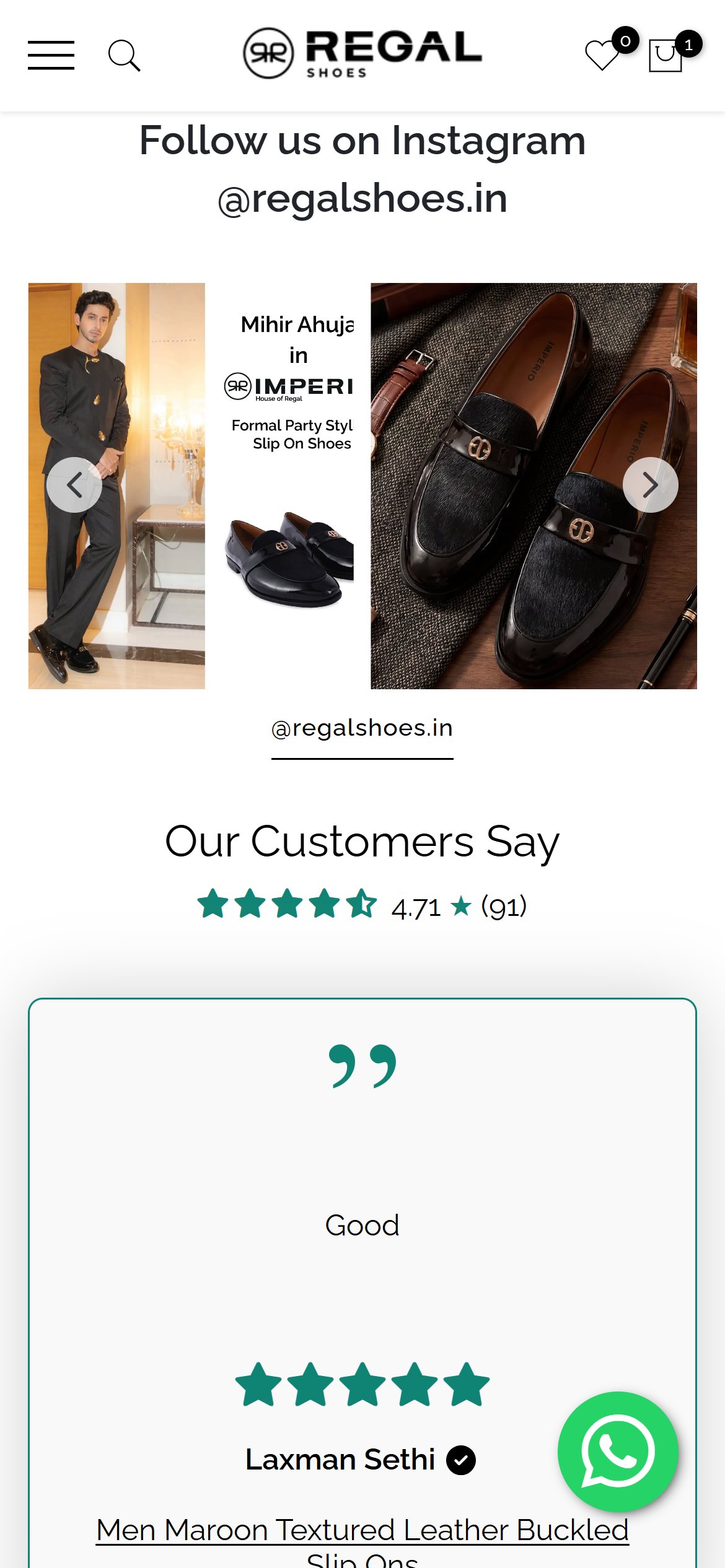
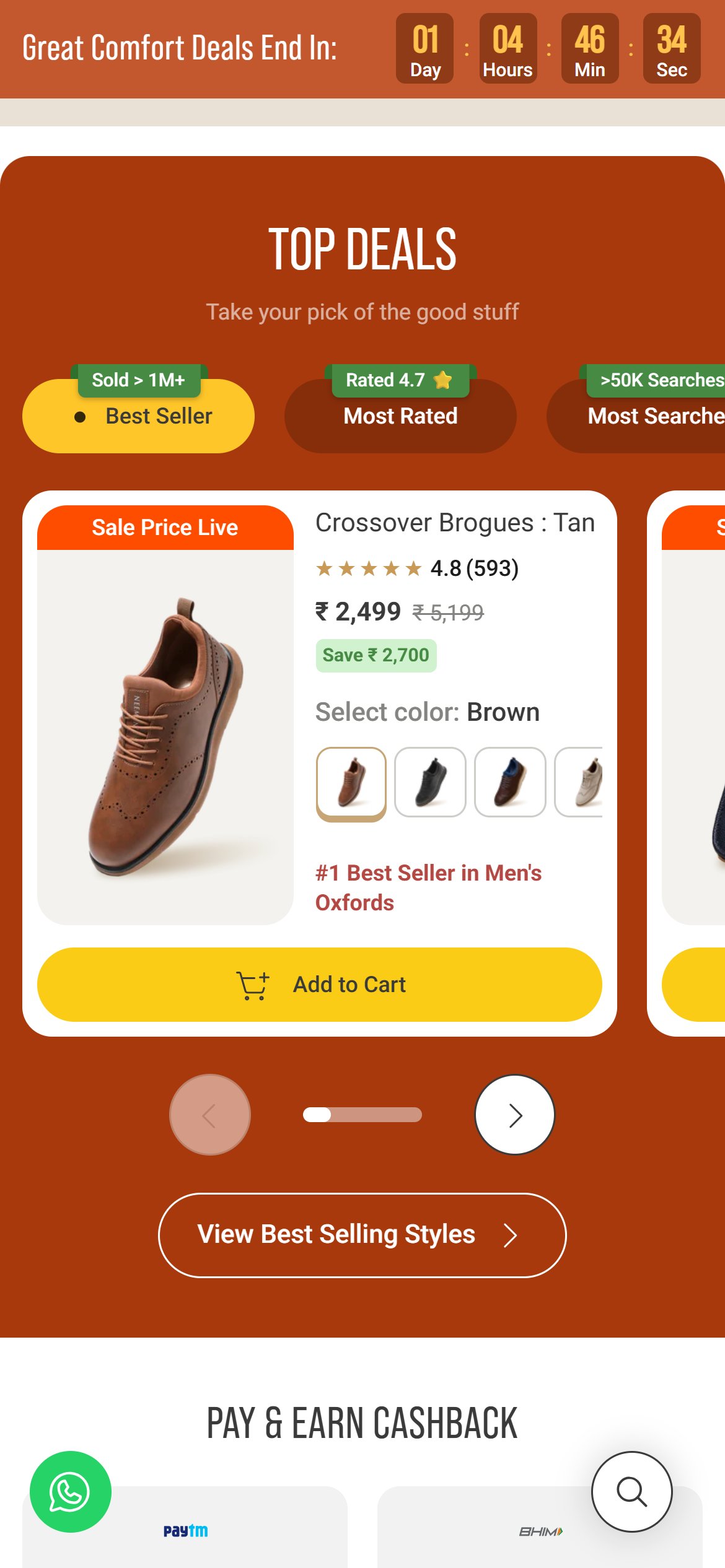
Happy customer reviews sit far down the page, so first-time visitors never see them
Regal Shoes — Mobile
Neeman's — Mobile
Observations
- An Our Customers Say section with an overall rating and written reviews exists, but it sits after all product rows and the Instagram feed, close to the footer.
- The product cards higher on the page carry no ratings, so a visitor scrolling normally meets no customer proof until the very end.
Recommendations
- Move a short rating summary and a few review snippets higher on the page, right after the first product row.
- Show the overall rating next to the brand logo or in the trust strip.
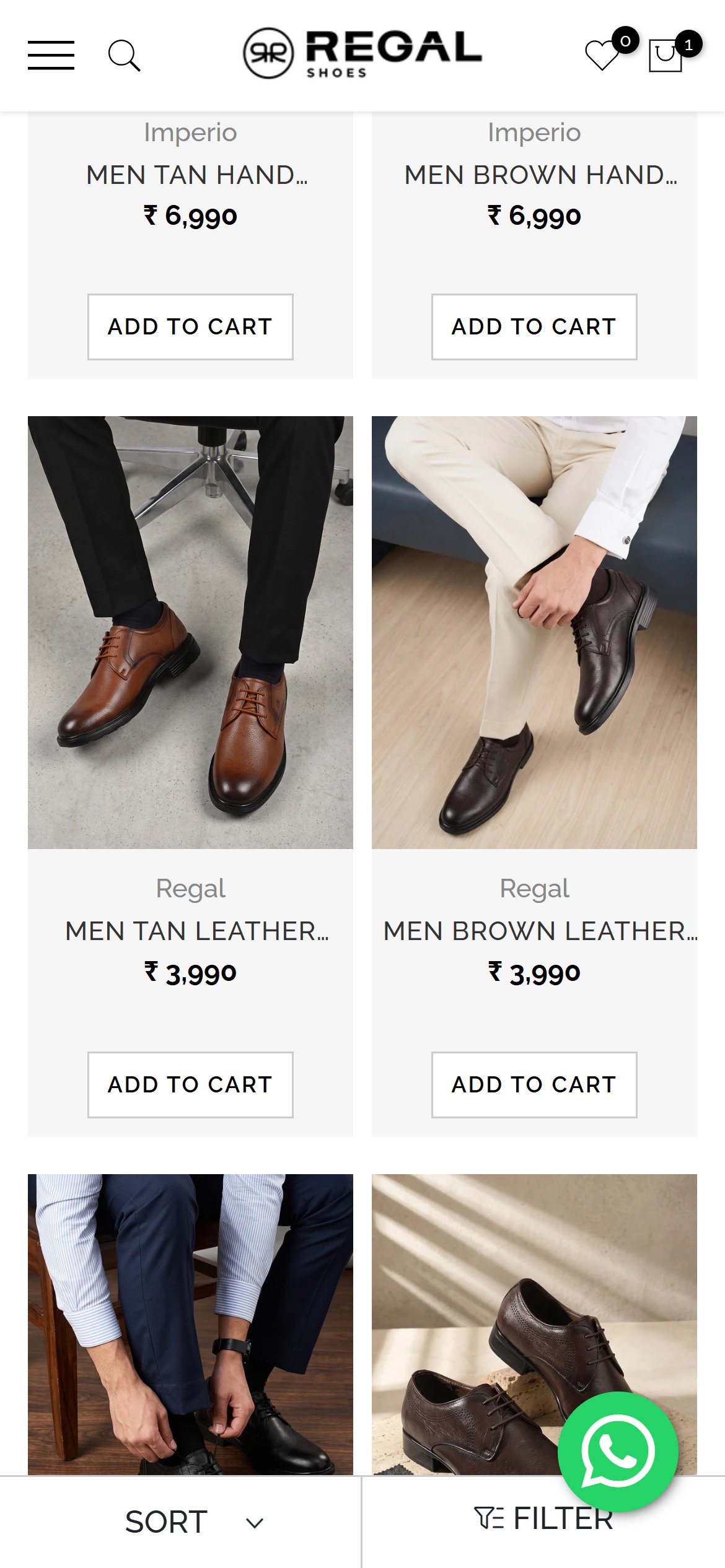
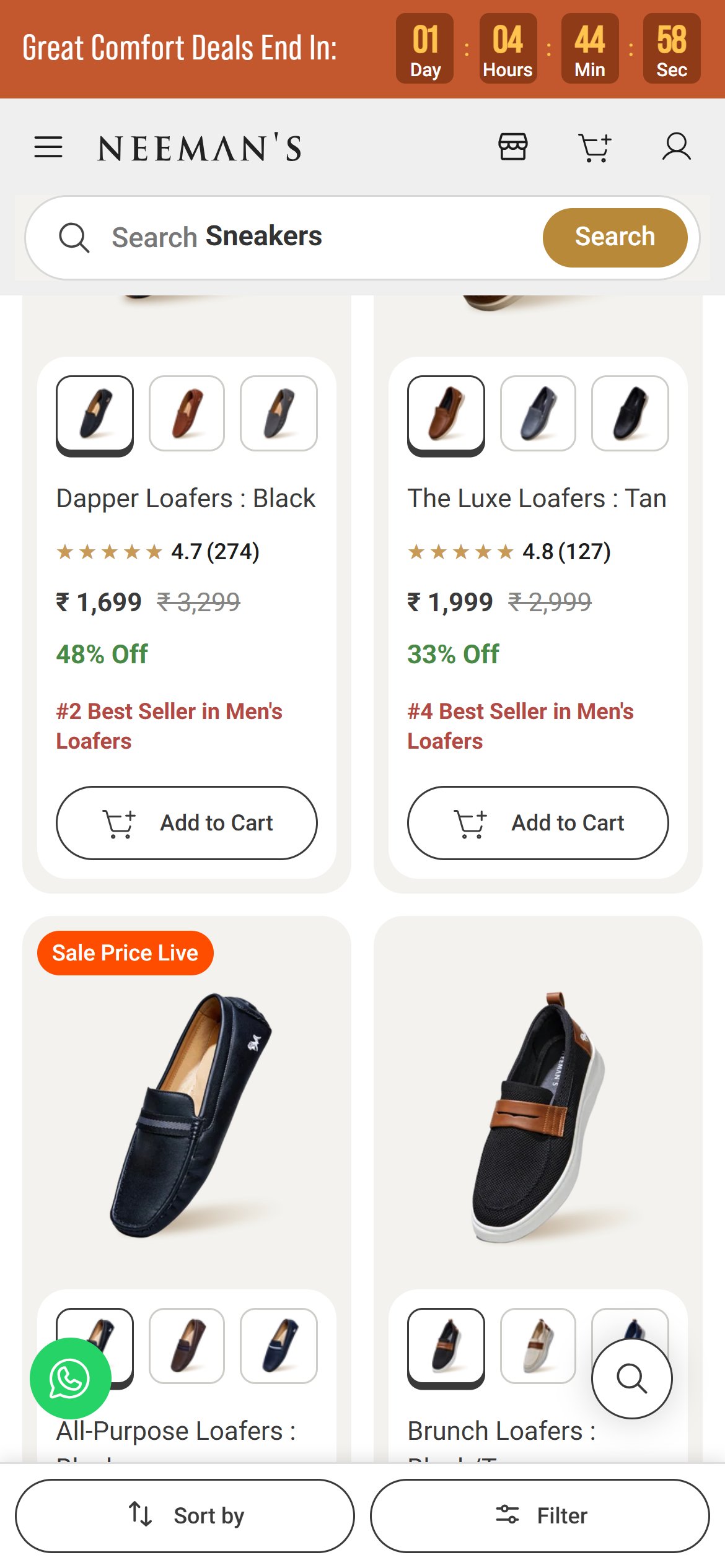
Shoe cards show no ratings, so shoppers cannot tell which pairs others love
Regal Shoes — Mobile
Neeman's — Mobile
Observations
- Each card shows only the photo, brand, shortened name, price and Add to Cart.
- There are no star ratings, review counts or tags such as Bestseller or New on the cards in this listing.
- Judge.me reviews are installed, but their ratings are not surfaced on listing cards.
Recommendations
- Show the Judge.me star rating and review count under the price on every card that has reviews.
- Add a small Bestseller or New tag to guide choice among a long list of similar-looking pairs.
Shoppers cannot see sizes or colours on shoe cards before opening each product
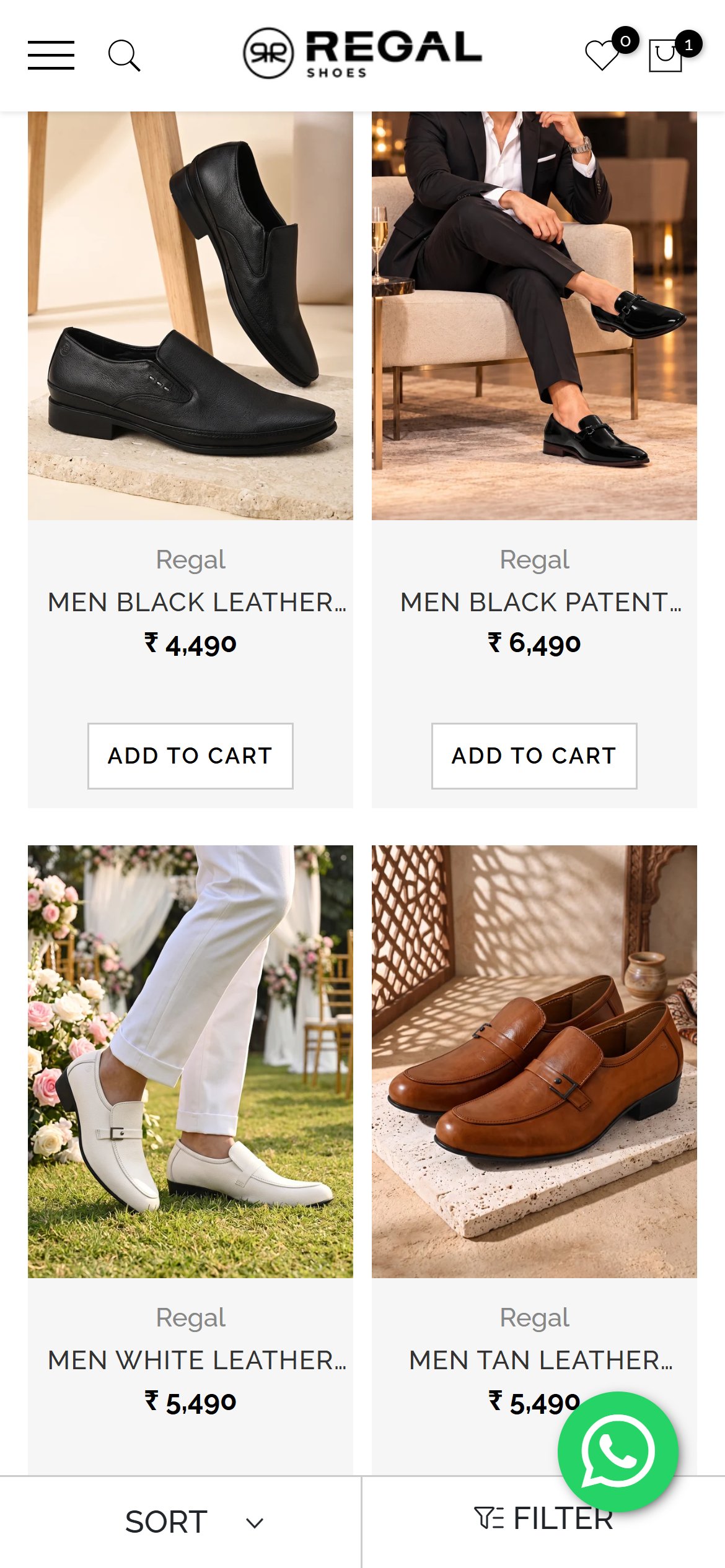
Regal Shoes — Mobile
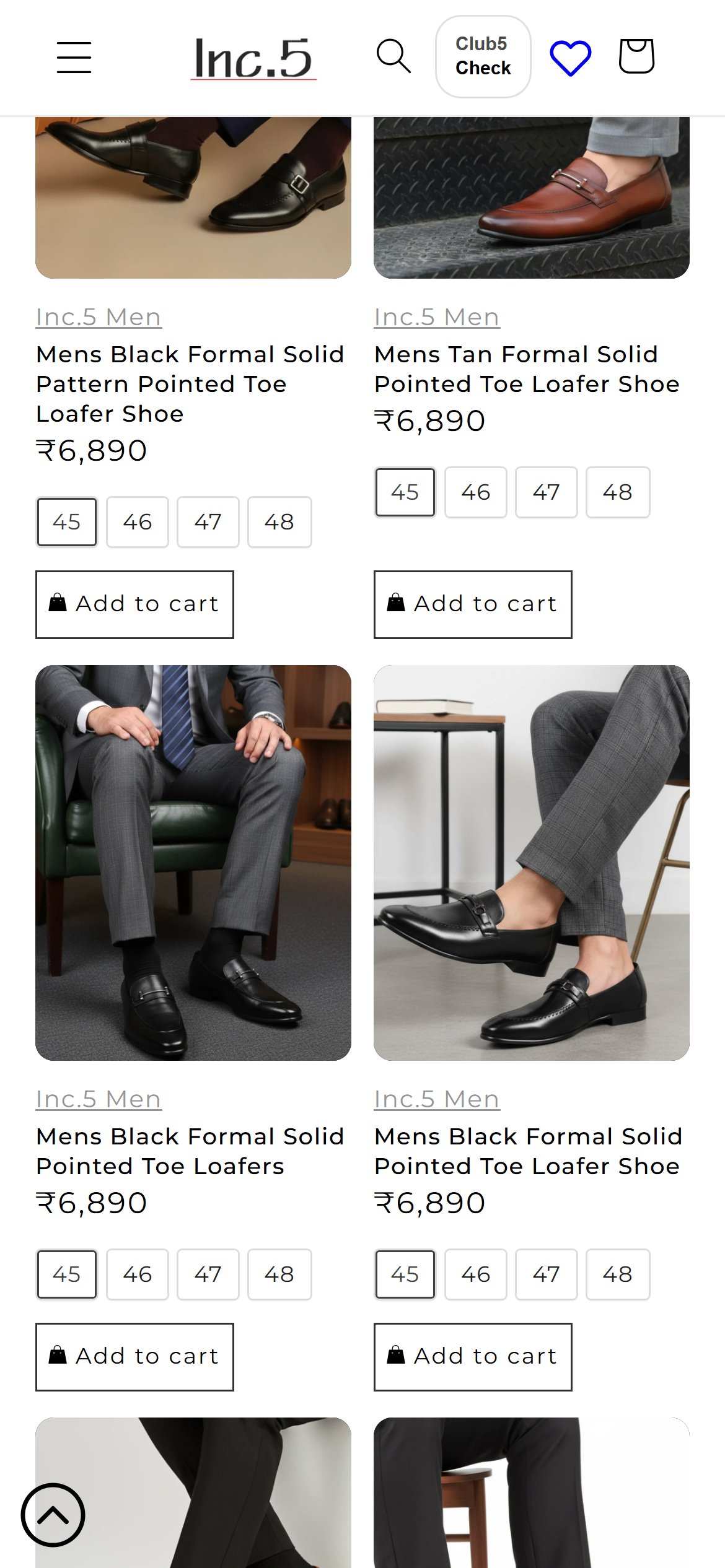
Inc.5 — Mobile
Observations
- Cards show a single photo, name and price, with no size availability, colour dots or variant hints.
- Add to Cart sits on every card, but a shopper cannot tell whether their size is in stock without opening the product.
- Many cards are colour variants of the same style, which makes the list long and repetitive without swatches.
Recommendations
- Show available sizes (or an out-of-stock cue) on card tap, and a quick size picker behind Add to Cart.
- Group colour options of the same style as small swatches on one card.
No price filter or size filter to narrow shoes down to budget and fit
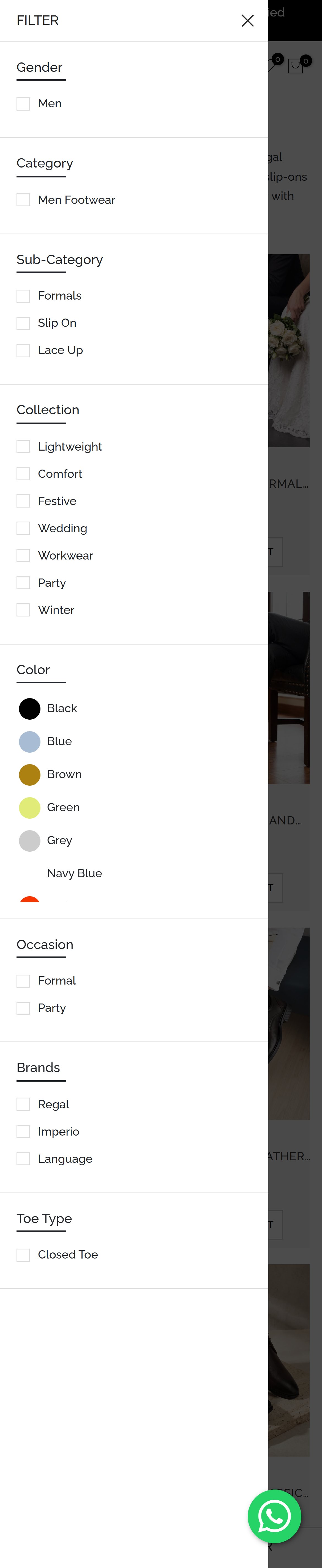
Regal Shoes — Mobile
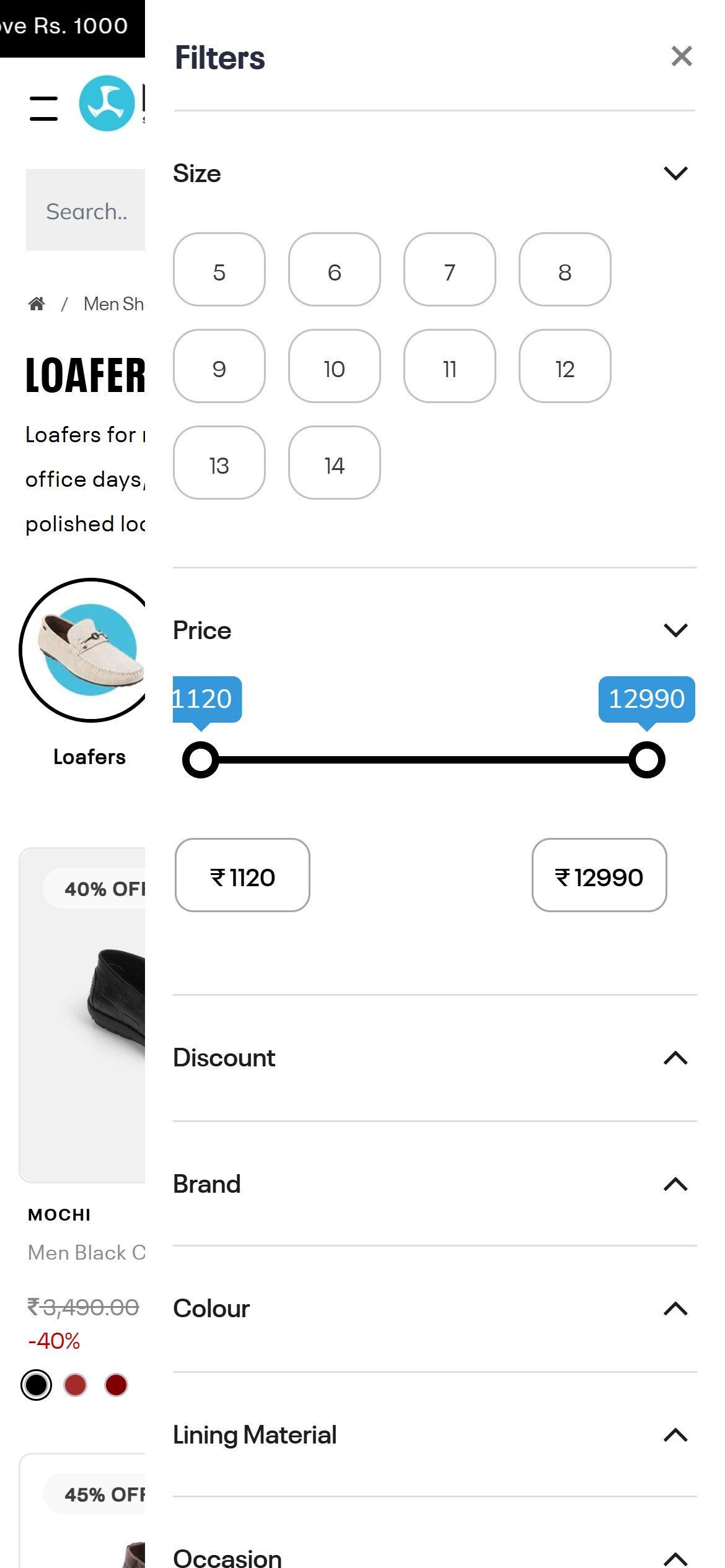
Mochi — Mobile
Observations
- The filter panel lists Gender, Category, Sub-Category, Collection, Color, Occasion, Brands and Toe Type.
- There is no price filter and no size filter, even though this one listing holds a few hundred styles across a wide price spread.
- Shoppers must scroll a long list to find shoes in their budget and size.
Recommendations
- Add a price range slider with minimum and maximum inputs at the top of the filter panel.
- Add a size filter with Indian and UK sizes so shoppers see only pairs available in their size.
No star rating near the shoe name, so buyers get no quick reassurance before choosing
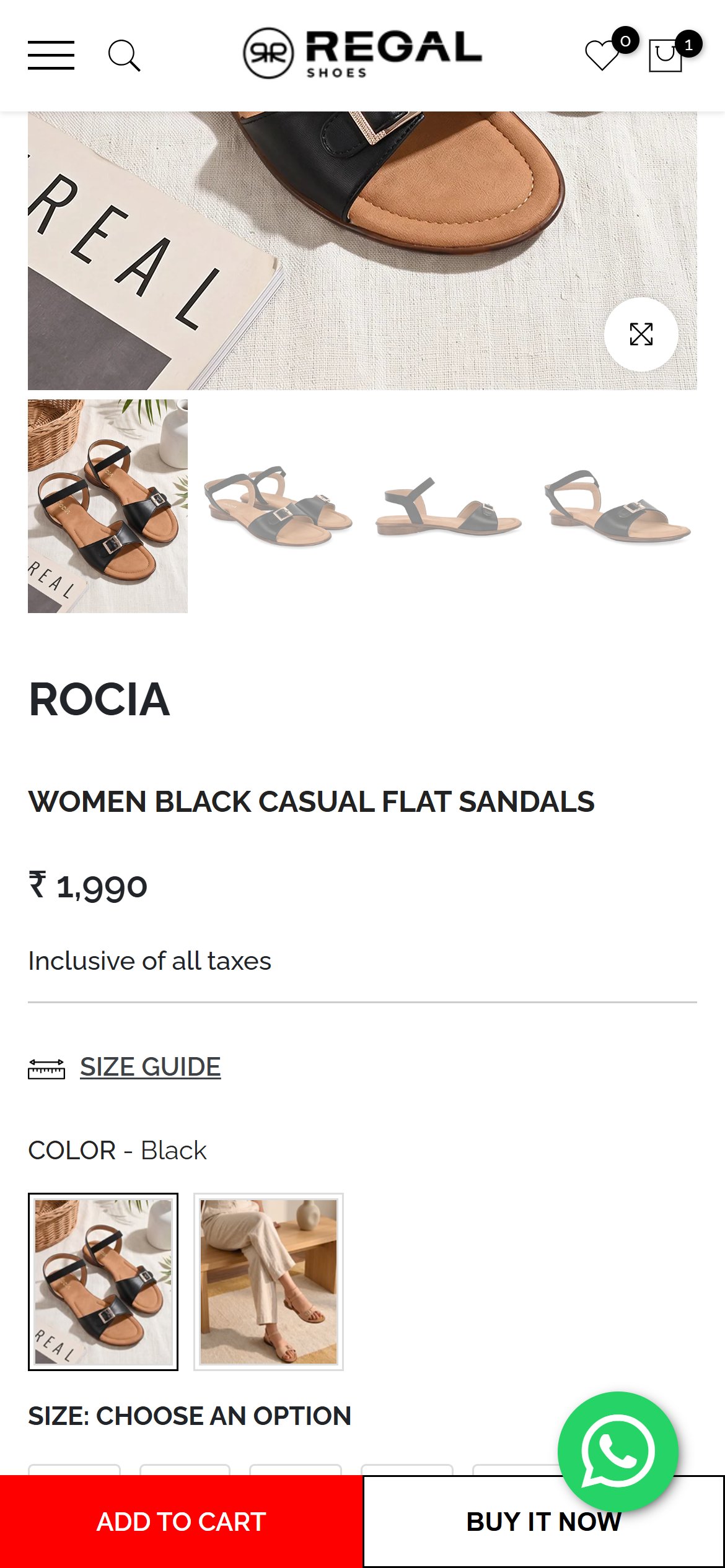
Regal Shoes — Mobile
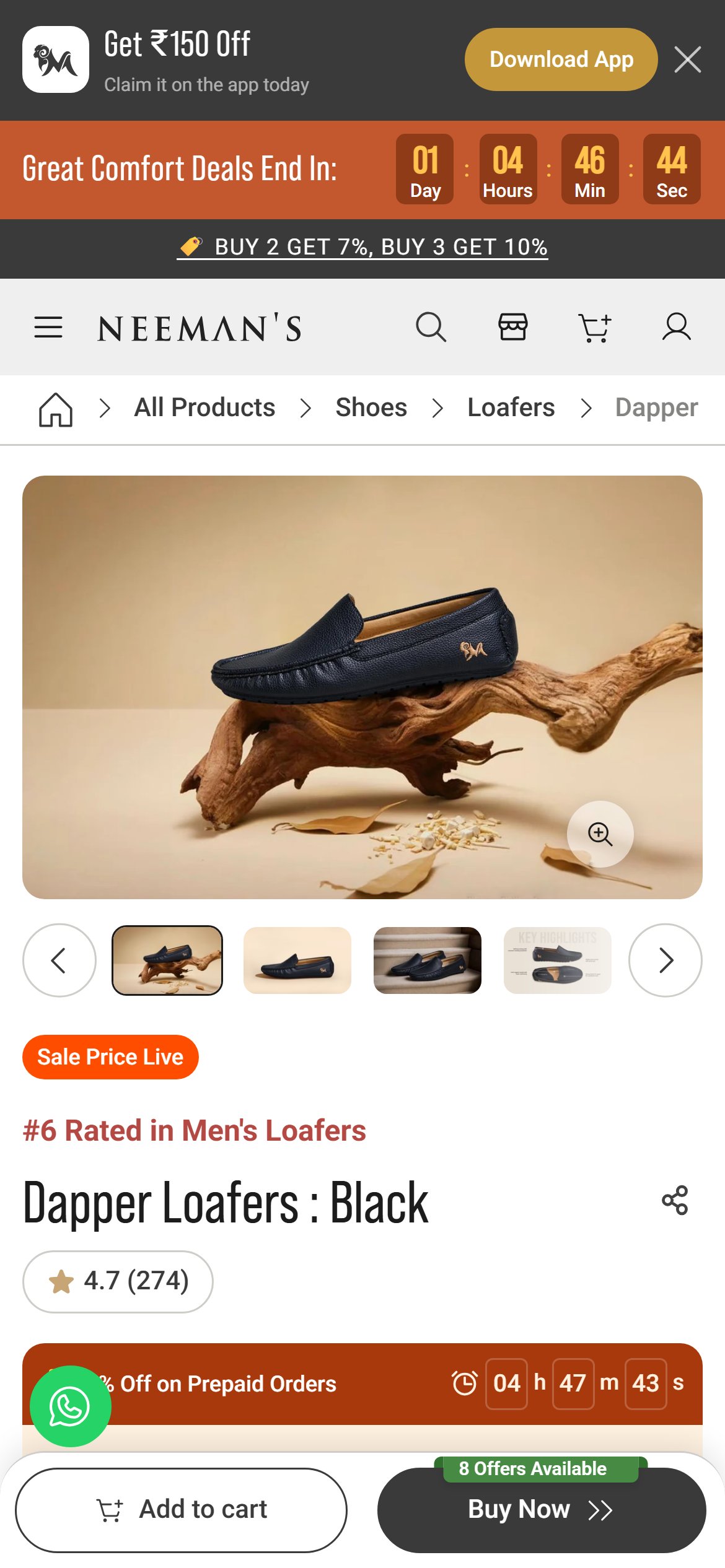
Neeman's — Mobile
Observations
- Under the product name and price there is no star rating or review count; the reviews area further down shows the message Be the first to write a review.
- This was seen on both an own-label sandal and a branded sneaker product page.
- With Judge.me installed, ratings could appear here as soon as reviews are collected.
Recommendations
- Show a star rating and review count under the shoe name that scrolls to the reviews section when tapped.
- Run a post-delivery review request so products build up ratings, and show Verified Buyer tags and fit feedback.
Shoppers cannot check if the shoes can reach their pincode or when they will arrive
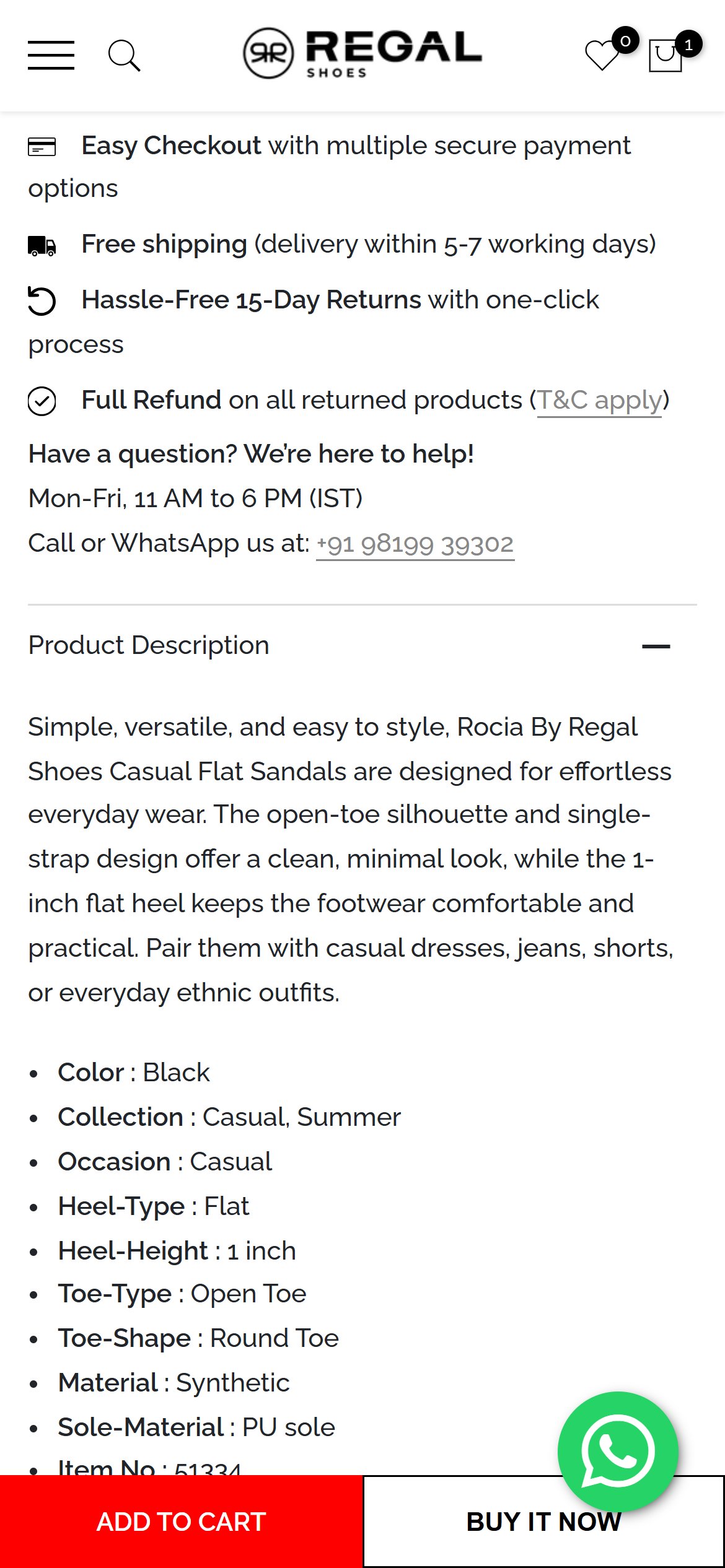
Regal Shoes — Mobile
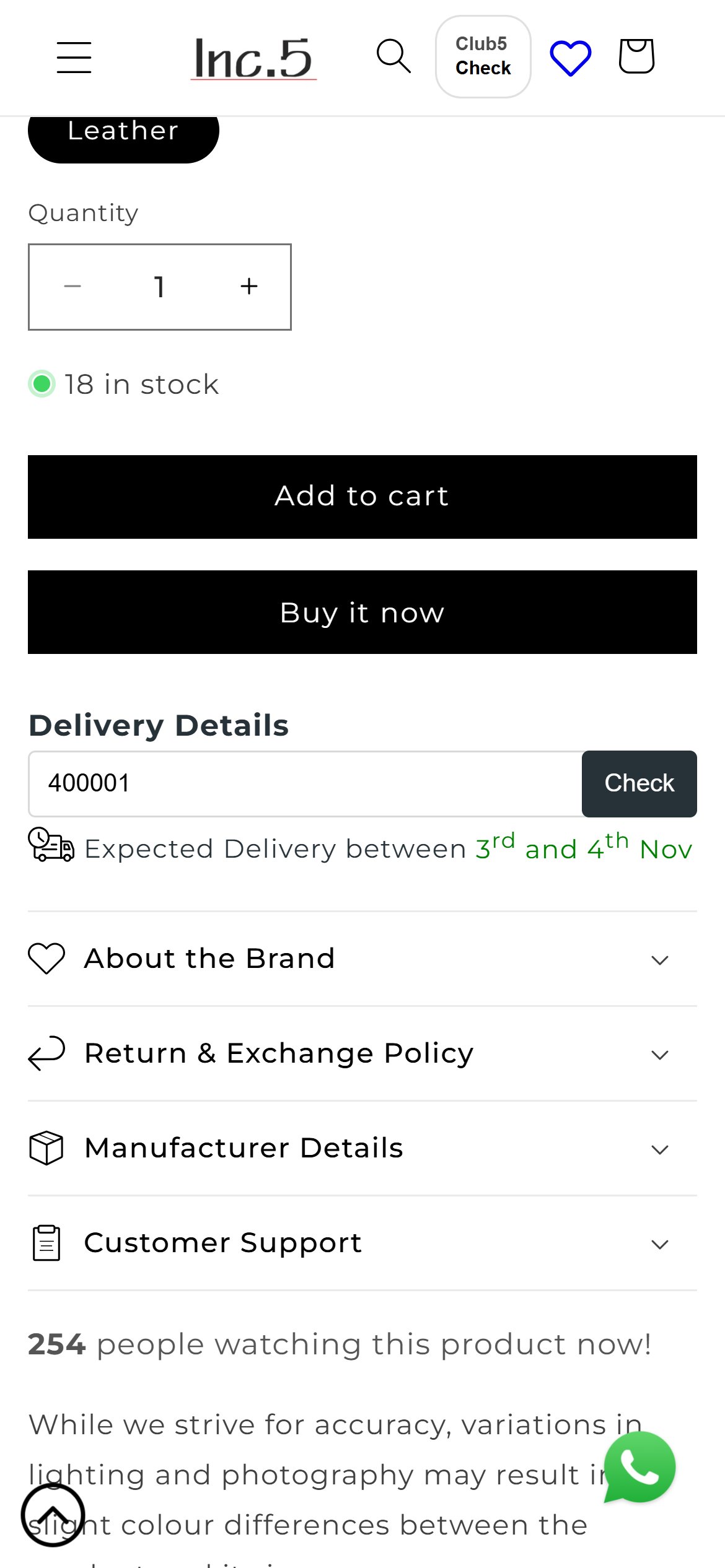
Inc.5 — Mobile
Observations
- The page only says Free shipping (delivery within 5-7 working days) in the benefits list, lower down in the buying section.
- There is no pincode box to confirm serviceability or give a delivery date for the shopper's location.
Recommendations
- Add a Check delivery pincode box near the size selector that returns serviceability and an estimated date, and mentions cash on delivery availability.
- Show the estimate beside the Add to Cart button for visibility.
The sticky buy bar does not help pick a size, so shoppers hit a dead end
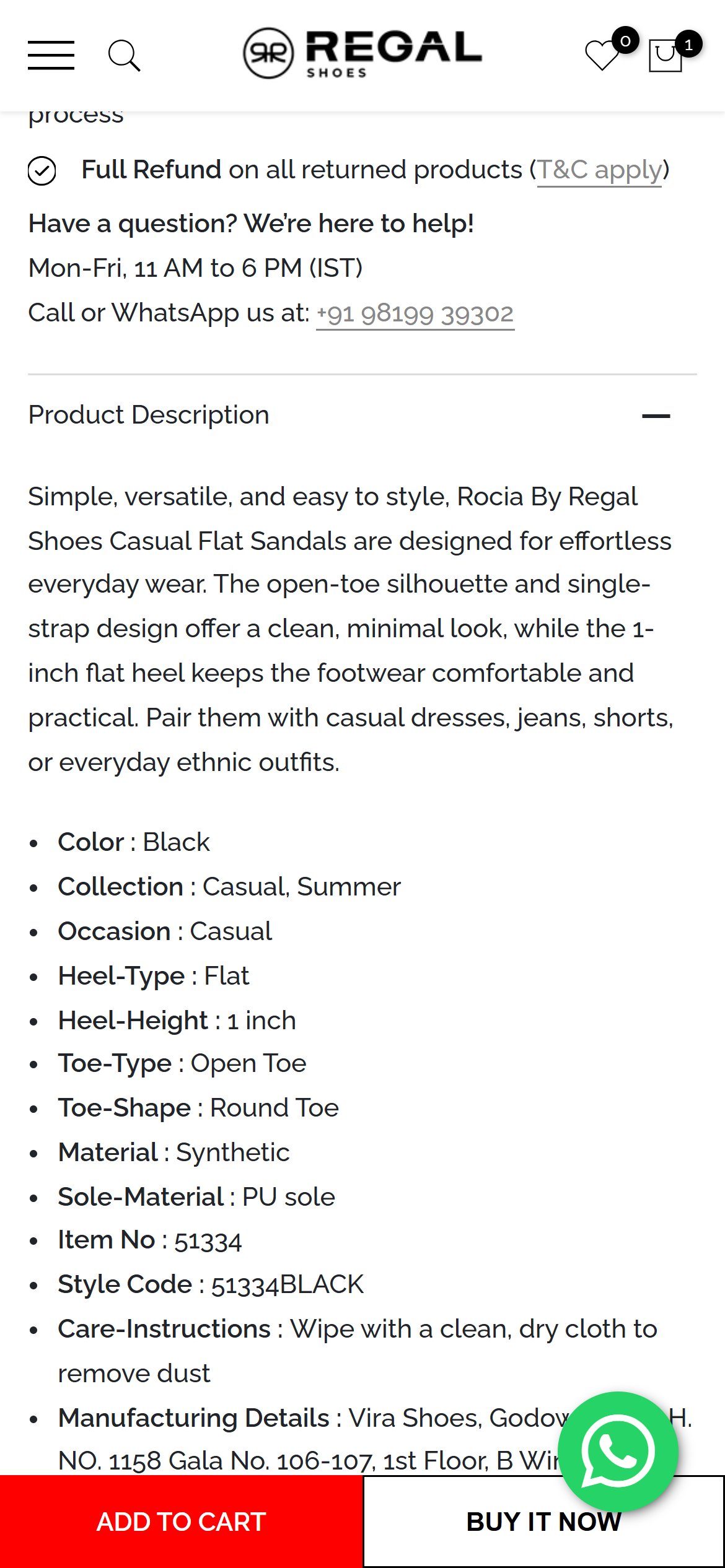
Regal Shoes — Mobile
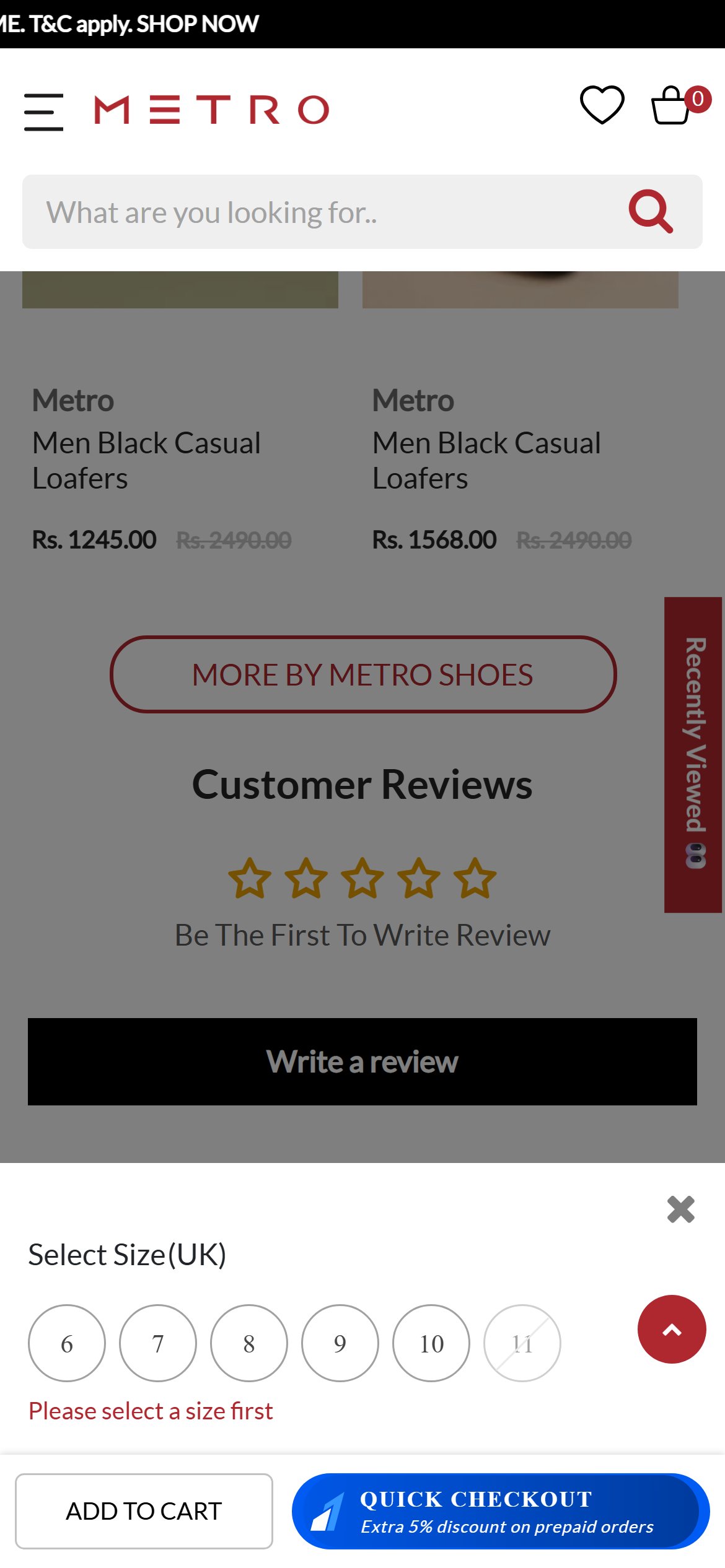
Metro Shoes — Mobile
Observations
- A sticky Add to Cart and Buy It Now bar follows the shopper down the page, which is good.
- When the size row has scrolled out of view, the bar has no size picker; tapping it with no size chosen only shows a short warning asking to select product options instead of taking the shopper to the sizes.
- Size is the main decision for footwear, so this is where buying intent can leak.
Recommendations
- Make the sticky bar open a size picker sheet (with size guide link) when no size is chosen.
- Alternatively scroll the shopper back to the size row and highlight it.
Cart offers no matching suggestions to complete the look or add another pair
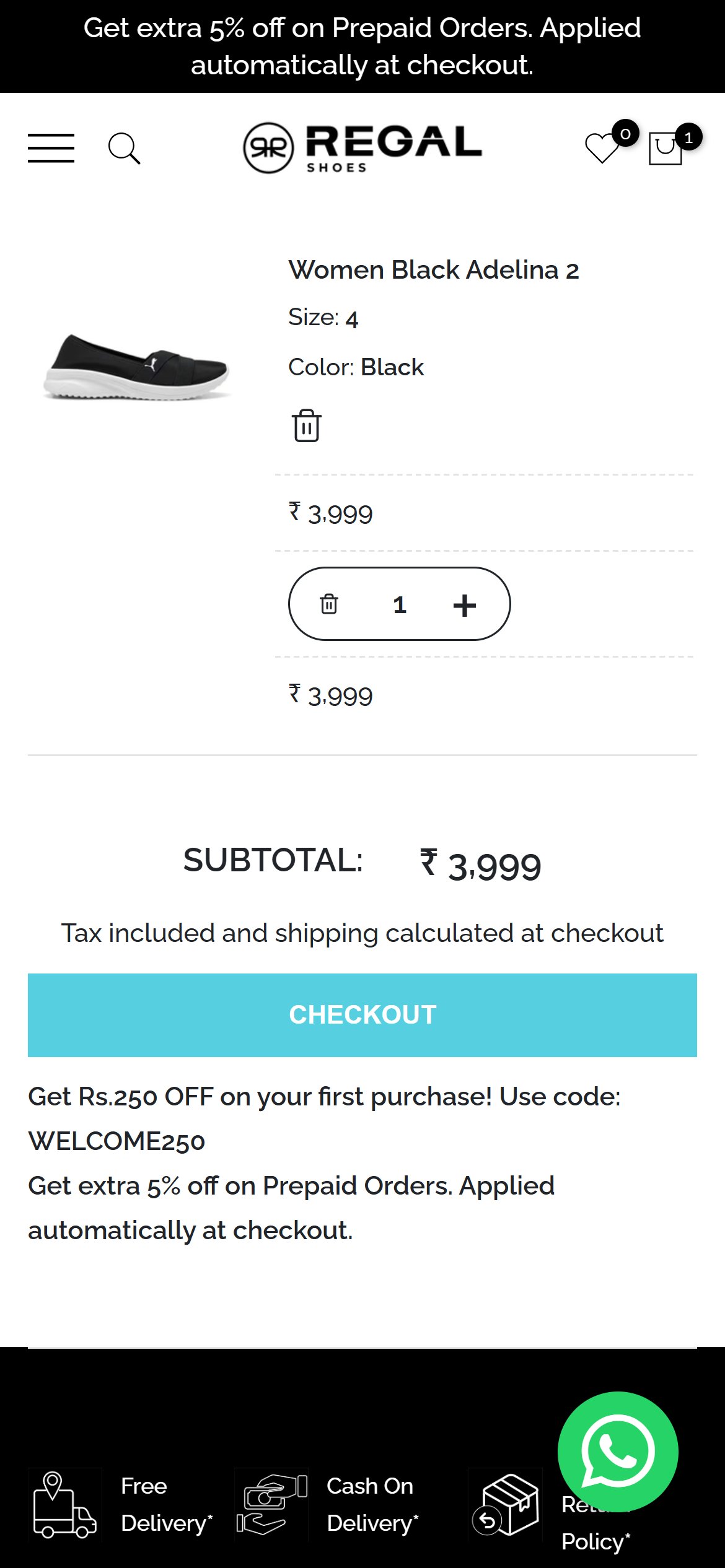
Regal Shoes — Mobile
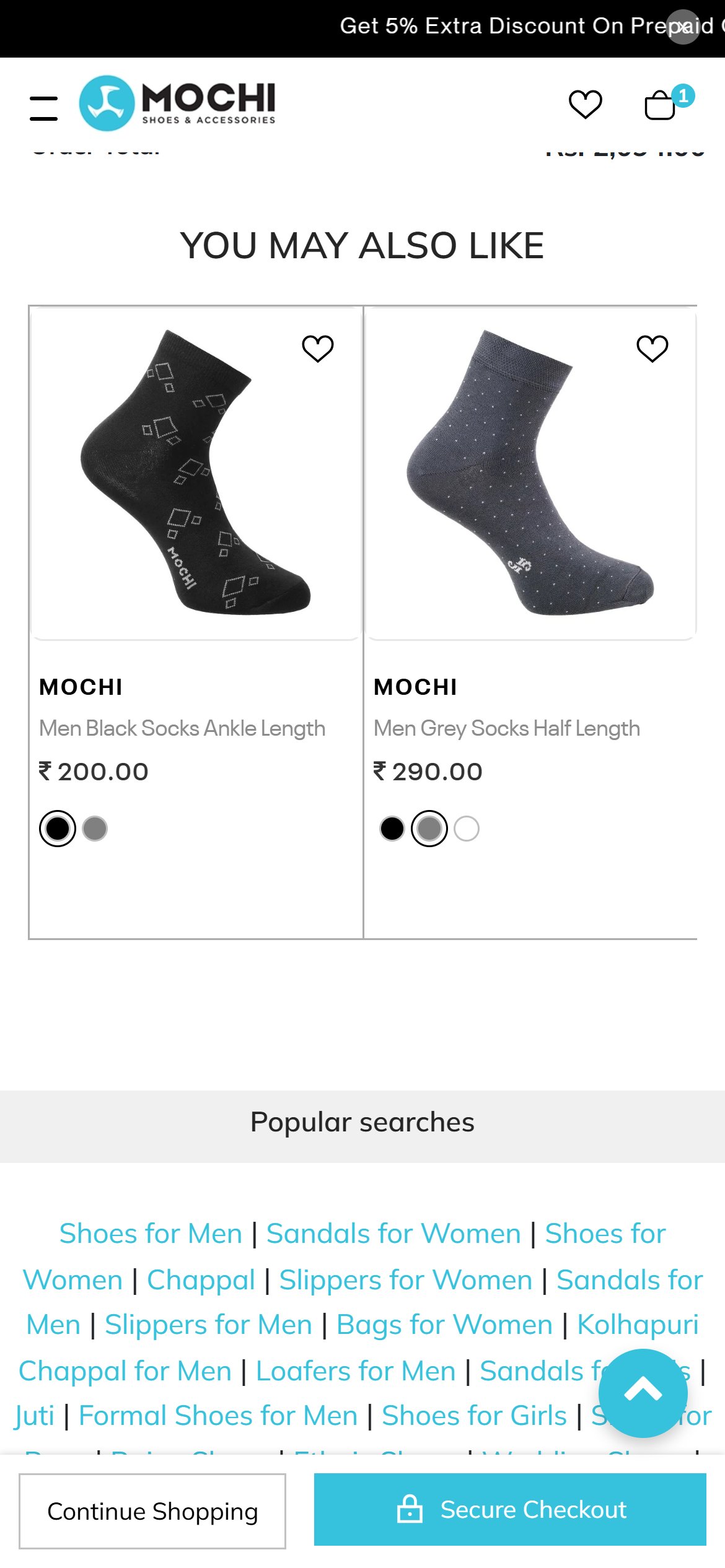
Mochi — Mobile
Observations
- With a product in the cart, both the cart drawer and the cart page show only the item, quantity and subtotal.
- There is no You May Also Like, bestseller or matching accessory section.
- Footwear pairs naturally with socks, shoe care and bags, which Regal already sells in part.
Recommendations
- Add a Complete your order row of matching products with quick add under the cart item.
- Suggest complementary items such as shoe care, socks or bags based on what is in the cart.
Nothing near the checkout button reassures shoppers that payment is safe
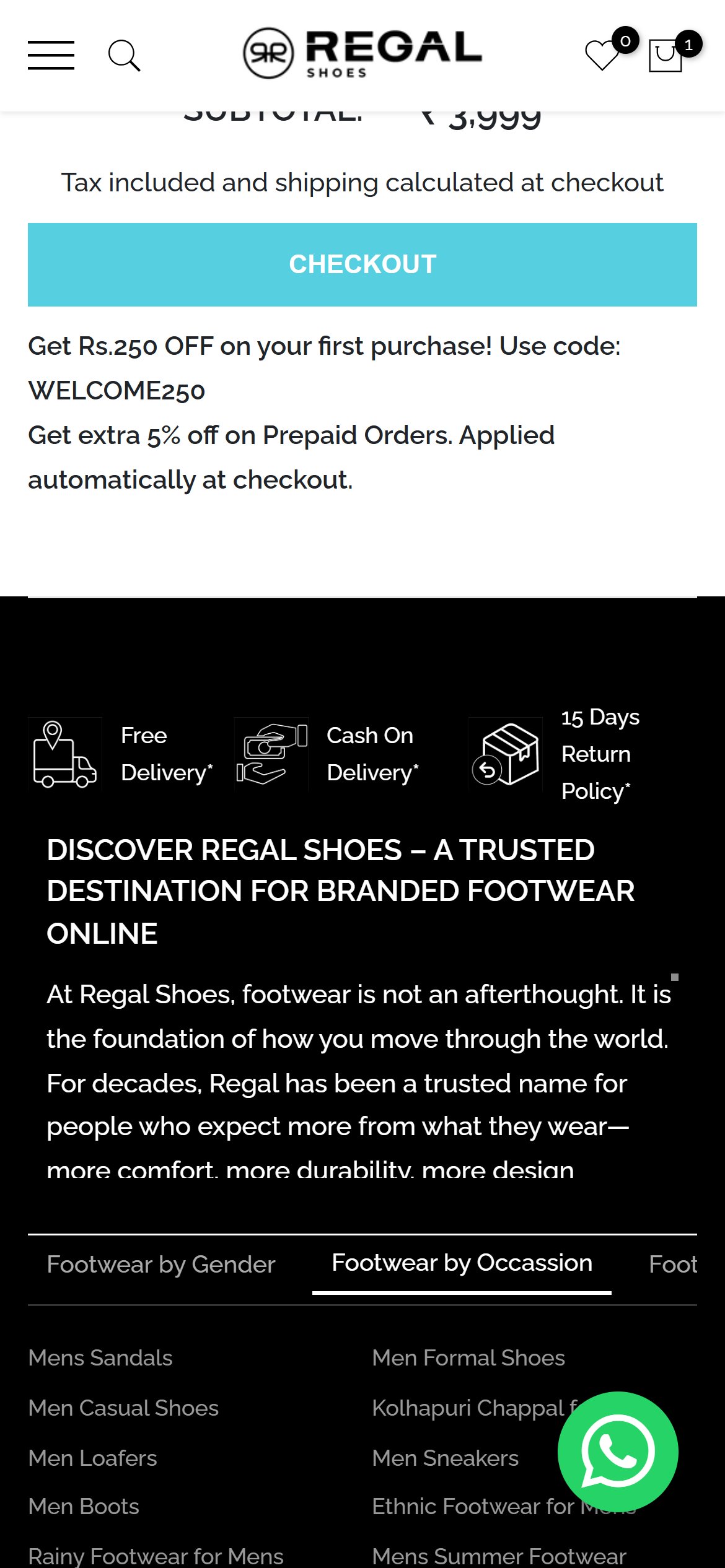
Regal Shoes — Mobile
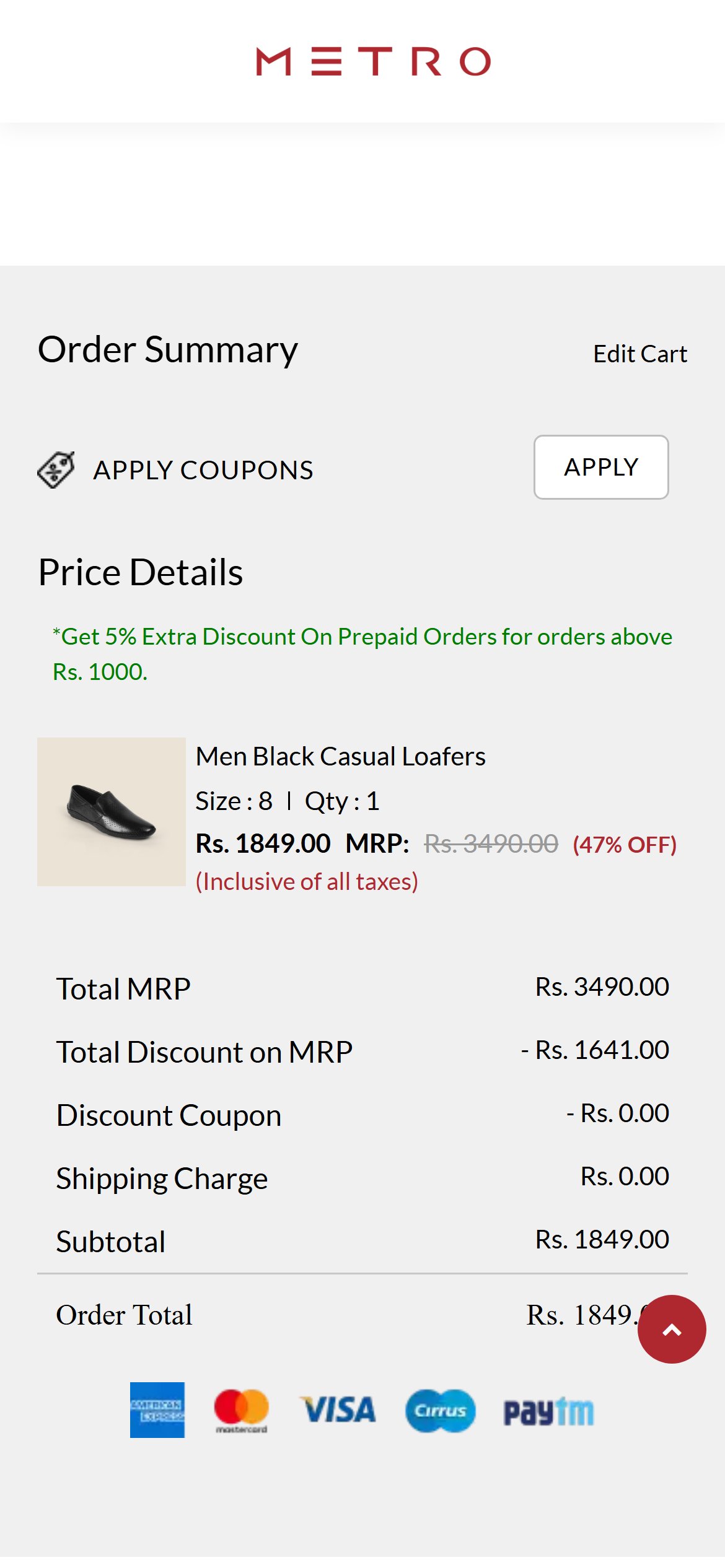
Metro Shoes — Mobile
Observations
- The Checkout button sits alone, followed only by discount text.
- There is no secure payment note, lock icon or payment method logos next to the button.
- The Free Delivery, Cash on Delivery and Return Policy strip sits lower in the footer, away from the decision point.
Recommendations
- Add a Secure checkout line with lock icon and UPI, card and cash on delivery logos directly under the Checkout button.
- Repeat the easy-returns promise there, since it reduces fear of buying the wrong size.
Offer code is shown but there is no box to enter it in the cart
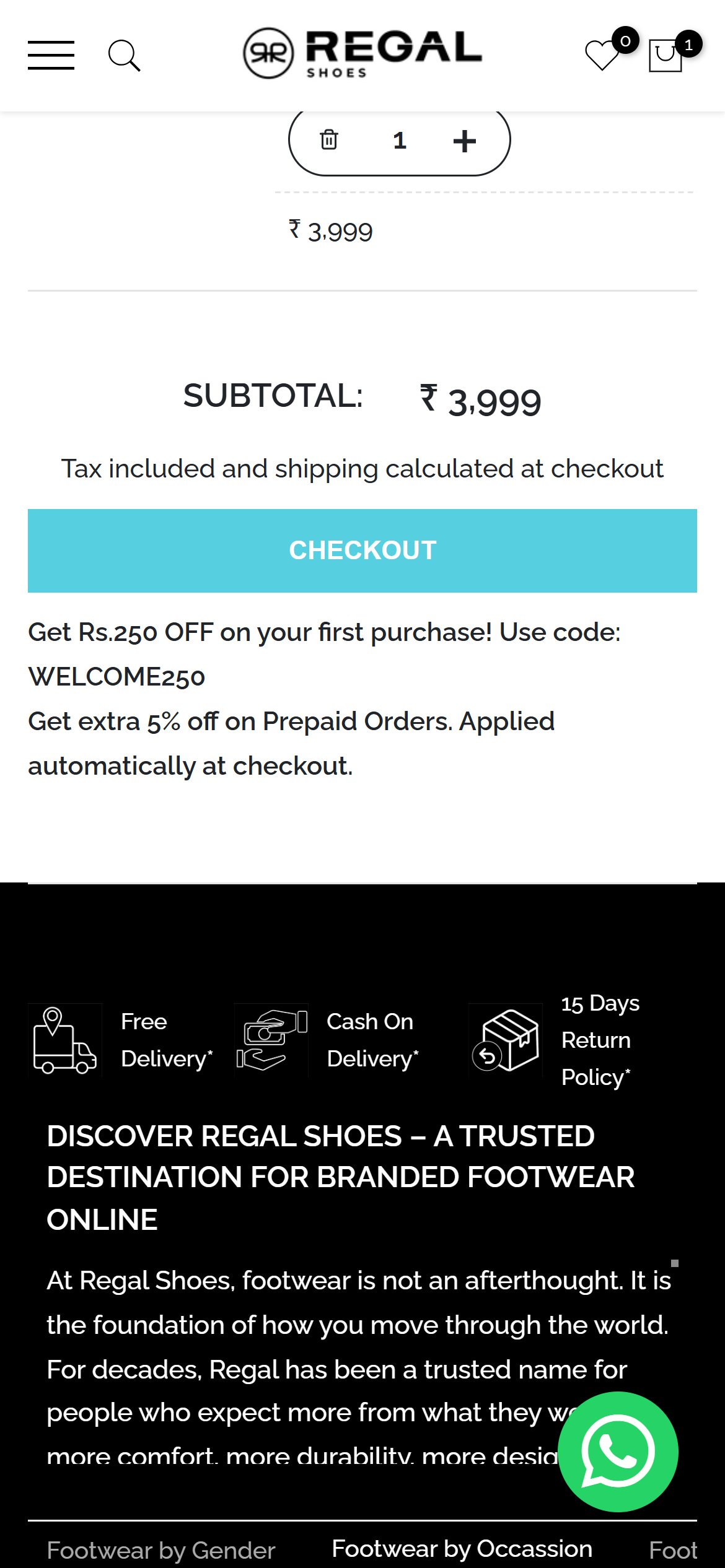
Regal Shoes — Mobile
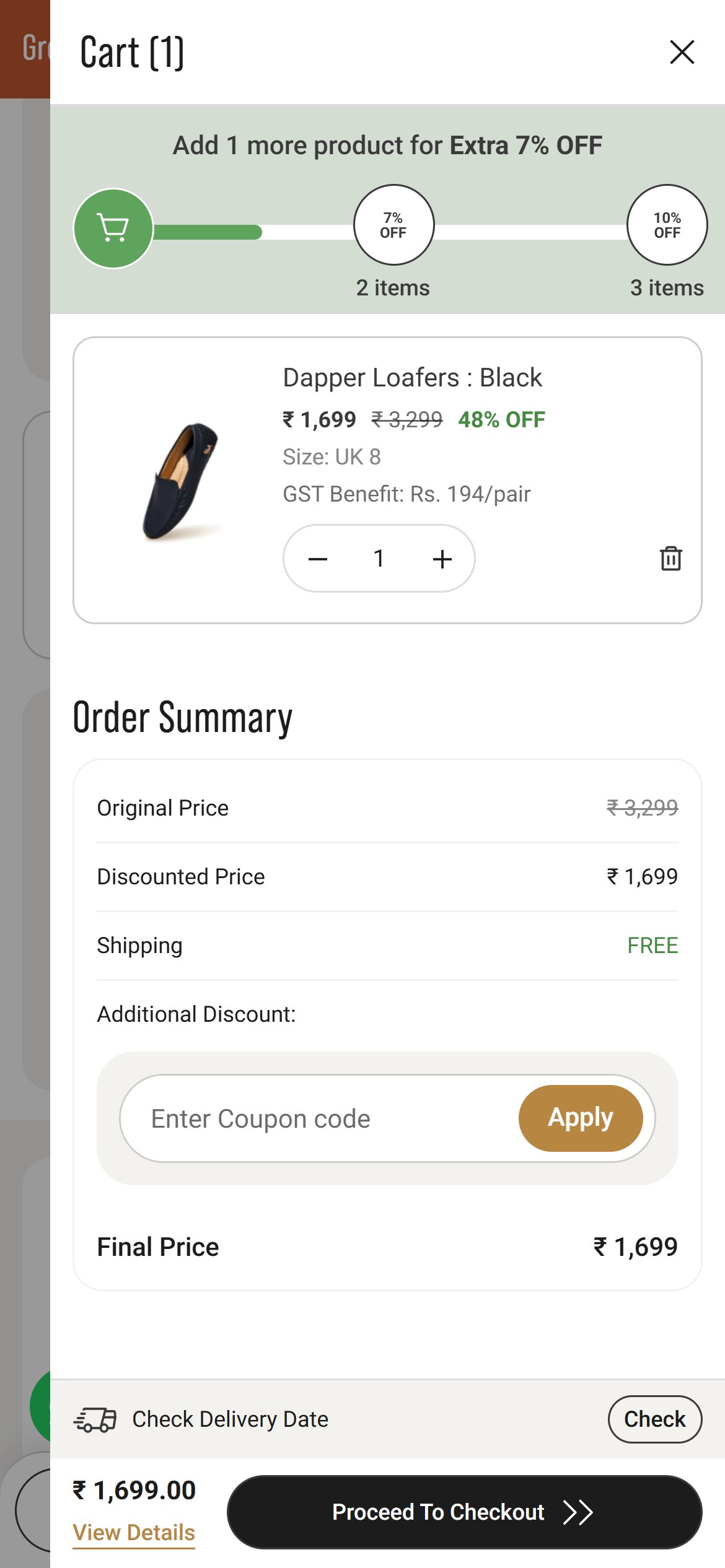
Neeman's — Mobile
Observations
- The cart shows text inviting shoppers to use the code WELCOME250 and the prepaid discount, but offers no field to type or apply a code.
- Shoppers cannot confirm the code works or see the saving before moving on to checkout.
Recommendations
- Add a collapsible Have a code? field with an Apply button in the cart and show the applied saving as a line.
- Make the welcome code tappable so it applies automatically.
04
App Ecosystem
What's installed vs what's missing from best-in-class Fashion & Apparel stores
Present (8)
Judge.me Reviews
Reviews & Social Proof
Installed, but star ratings are not surfaced on listing cards or above the fold on product pages; homepage reviews sit near the footer
GoKwik Checkout
Checkout Optimization
Handles checkout hand-off from cart and product page
KwikChat WhatsApp Widget
Customer Support
Floating WhatsApp button on every page
Star Apps Variant Swatch King
Variant Display
Script detected but swatches are not shown on listing cards
Microsoft Clarity
Analytics & Heatmaps
Meta Pixel
Advertising
Google Ads Tag
Advertising
Shopify Cookie Consent
Compliance
Accept / Decline banner shown on first visit
Missing (4)
Cart Upsell / Cross-sell App (e.g. Rebuy, Wiser) Critical
Revenue Growth
💰 Higher order value per cart
Cart cross-sell is present on 7/10 benchmark fashion stores
Size & Fit Advisor (e.g. Kiwi Sizing) Critical
Conversion & Returns
📈 More confident size choice, fewer returns
Size guidance is standard for footwear stores
Pincode Delivery Checker Recommended
Delivery Experience
📈 Removes delivery doubt before checkout
Pincode checks are expected on Indian fashion product pages
Advanced Filters with Size and Price (e.g. Boost / Searchanise) Recommended
Search & Discovery
✨ Faster path to the right pair
Filtering is present on 9/10 benchmark fashion stores
App Stack Assessment
Eight tools were detected. The most important gaps are cart upsell, size and fit help, pincode delivery checks and size and price filtering.
Confidential — Prepared for Regal Shoes by Growisto | October 2026